The Most Exciting Topic in Tech: Backups
Backups. The word itself is enough to put a room to sleep. Nobody gets excited about backups. Nobody talks about their backup strategy at dinner parties. But here I am, genuinely pleased with mine, and I think that says something about how far down the homelab rabbit hole I have gone.
The irony is not lost on me. I spent months writing about the ZimaCube's hardware, its fan noise, what I would change about the design. And the thing I am most satisfied with is the one part of the setup that nobody can see.
Proxmox Backup Server on the ZimaCube
Installing Proxmox Backup Server was straightforward. It runs on the ZimaCube alongside the main Proxmox hypervisor, on its own IP address. No drama, no fighting with dependencies, no weekend spent reading forum threads from 2019. You install it, you give it an IP, and it works.
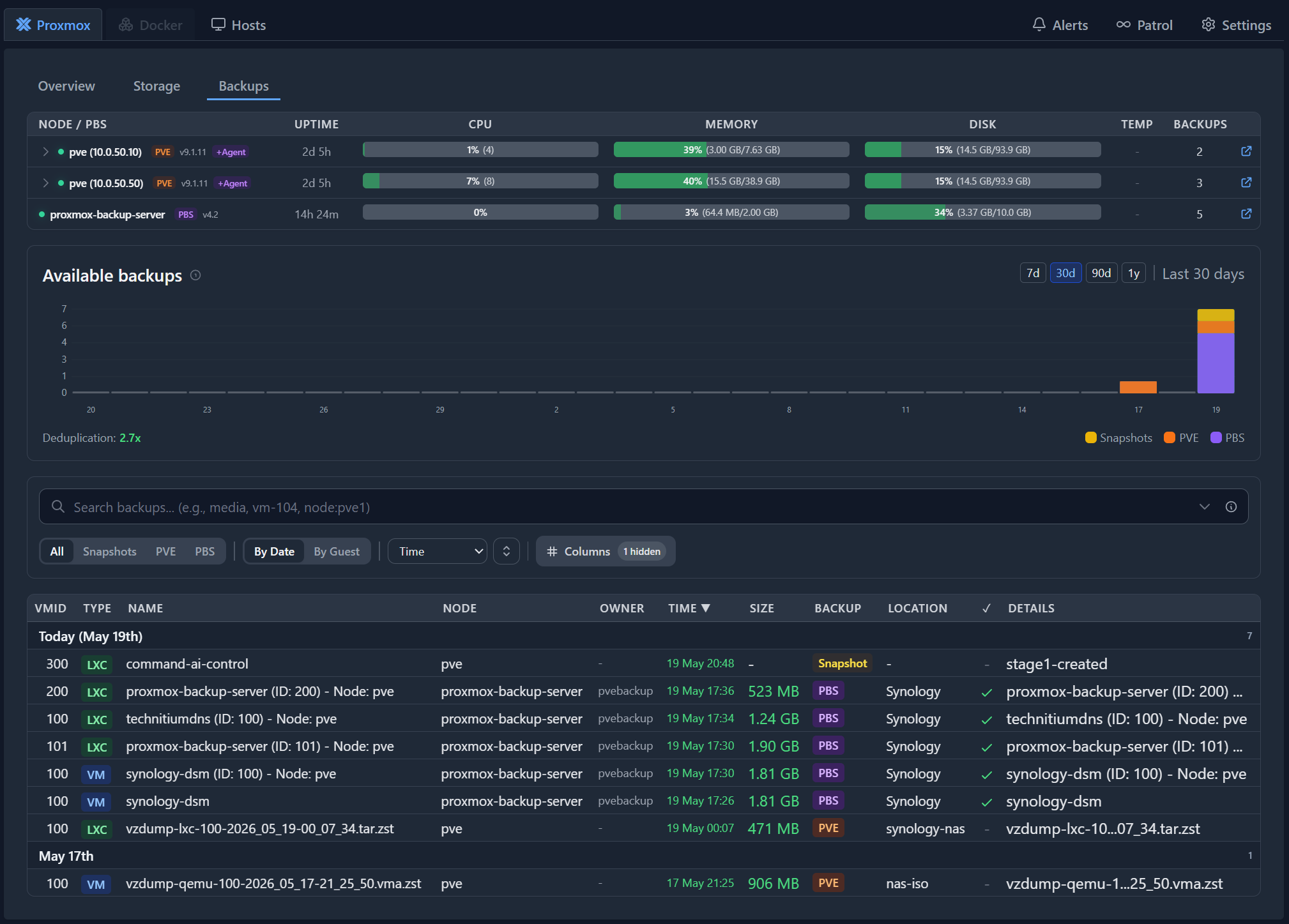
I set it up to back up everything. The ZimaCube's own VMs, the Synology DSM virtual machine, all the containers running on the other hosts. One backup server, one place to look when I want to know everything is safe.
The Circular Backup Problem
Here is where it gets a bit silly, and I am fully aware of it.
Proxmox Backup Server backs up to the Synology NAS. But the Synology NAS is itself a VM running on the ZimaCube — the same machine that Proxmox Backup Server is running on. If you are wondering how that works, I walked through the whole Synology VM setup in the Proxmox post. So PBS backs up the Synology VM to the Synology NAS, which is the thing it is backing up to. It backs itself up, via the thing it is backing up to.
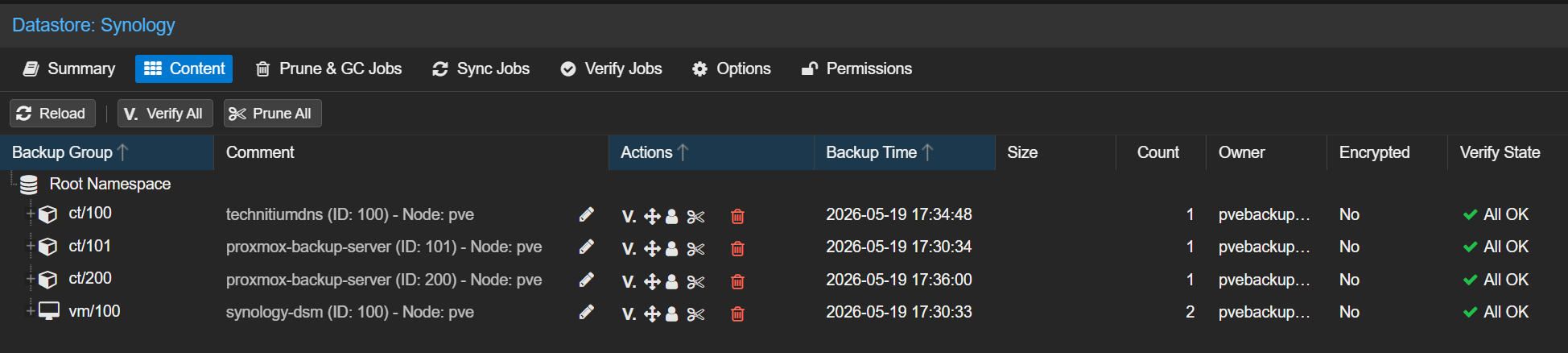
I know. It sounds like a thing that should not work. And in a disaster scenario where the ZimaCube physically dies, this whole arrangement becomes very unhelpful very quickly.
But that is where the Synology's own backup comes in. The Synology NAS pushes everything to Google Cloud via Cloud Sync. So the chain is: VMs get backed up by PBS to the Synology NAS, and the Synology NAS pushes a copy to Google Cloud. If the ZimaCube dies, I lose the local backup, but the cloud copy is still there. If the Synology VM dies, I can restore it from the PBS backup — assuming the ZimaCube itself is still running.
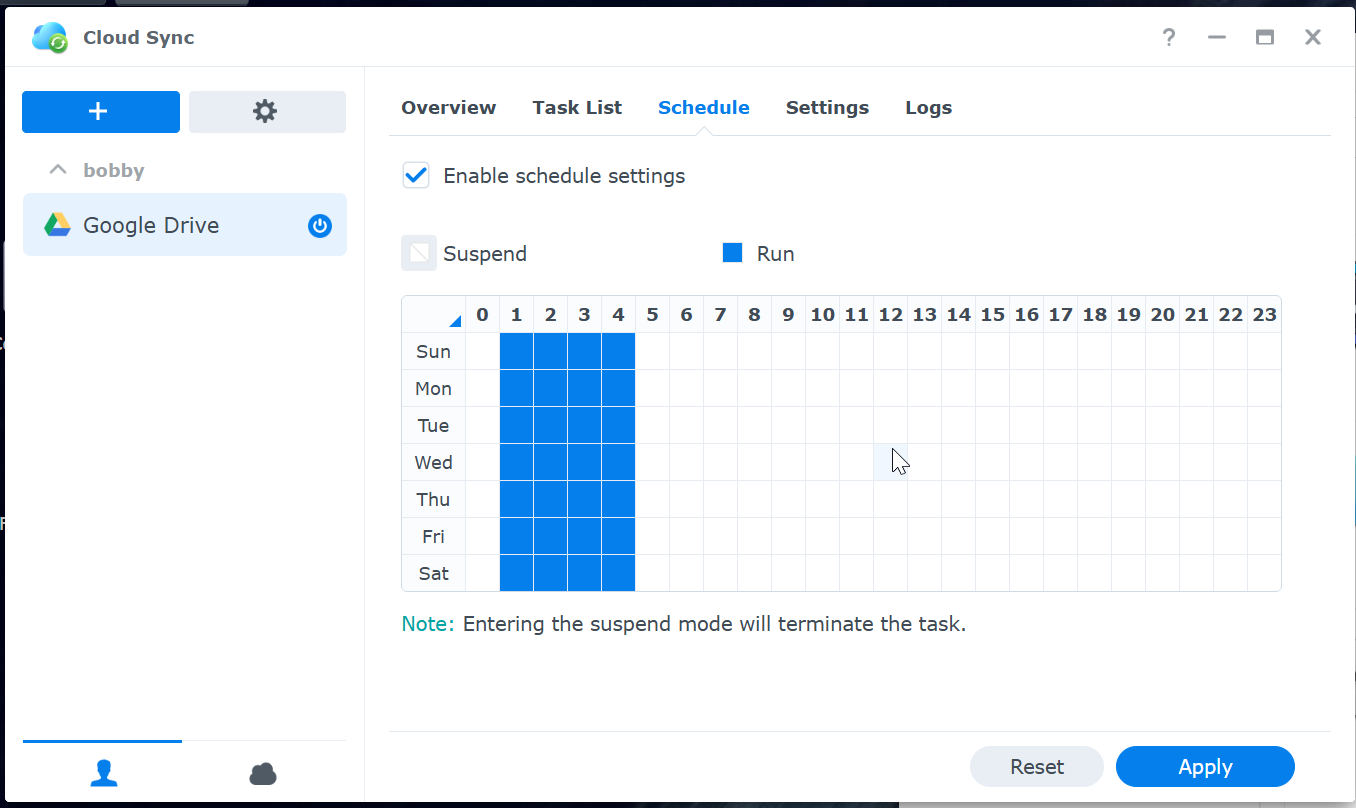
It is not a perfect setup. It is a practical one. And for a homelab, practical beats perfect every time.
The Synology Connection via ZFS
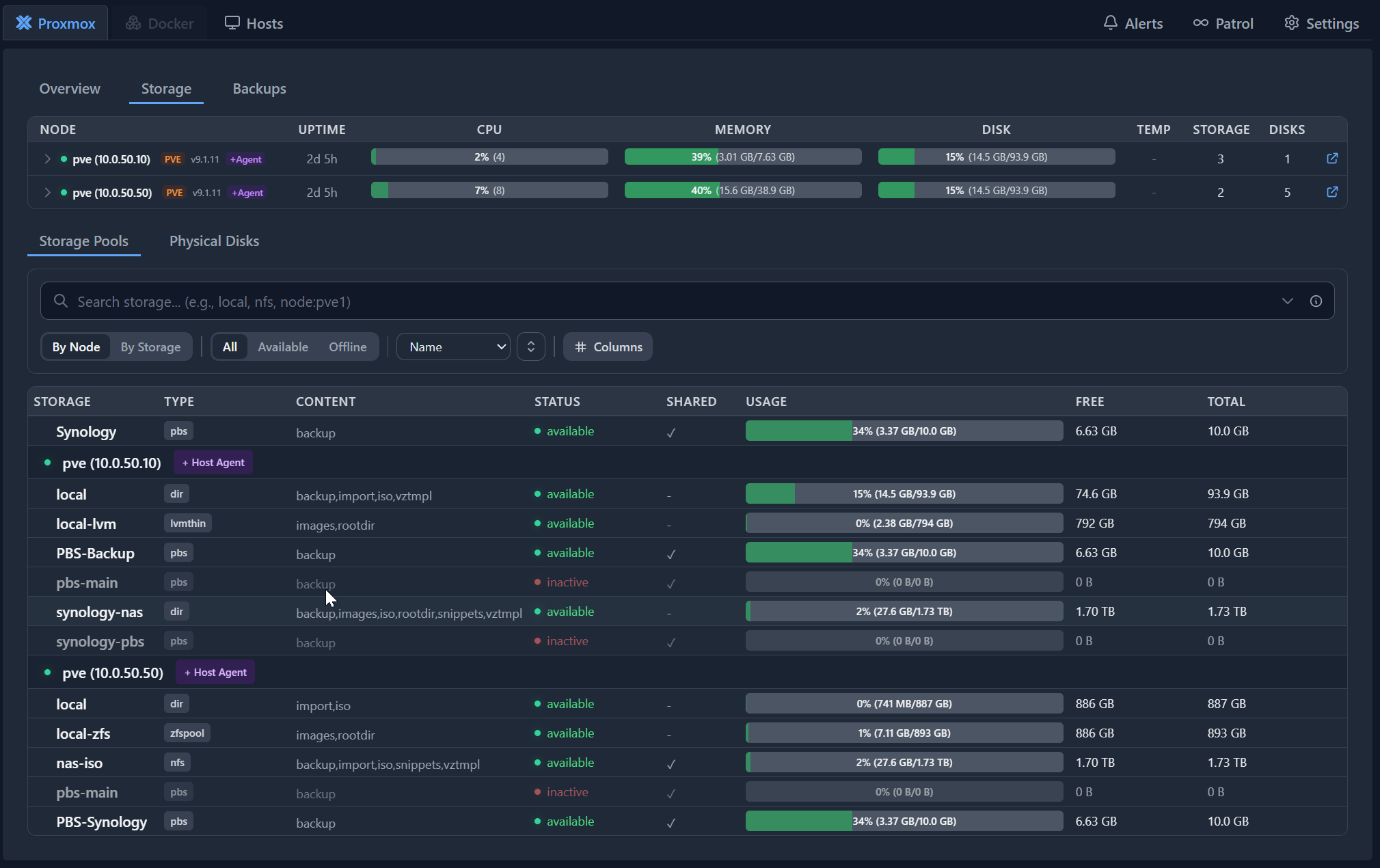
The Synology NAS is mounted inside Proxmox over ZFS, which means it is not just a backup target — it is part of the daily workflow. Every ISO I download, every LXC container template I grab, lives on the Synology storage but shows up natively inside Proxmox as if it were a local drive.
I mentioned this in the Proxmox post, but it bears repeating because it is the kind of thing that changes how you work. Before this, if I wanted to create a VM, I needed the ISO sitting on that specific host. Now there is one copy, and every host sees it. I drop a file once and it is available everywhere.
The Fleet (Such as It Is)
I mentioned in the Proxmox post that I had three hosts: the ZimaCube, an x86 mini PC, and the ZimaBlade. The ZimaBlade has been switched off. I found it redundant — it was not pulling its weight, and the ZimaCube handles everything it used to do without breaking a sweat. So it sits there, powered down, waiting for a purpose I have not found yet.
That leaves two active hosts. The ZimaCube is the main one — the same machine I wrote about in the hardware overview and later took apart. The second is a 2014 Mac Mini — the same machine I referred to as the "x86 mini PC" in the earlier post. I did not want to call it out by name before, but it is what it is. A decade-old Apple desktop running Proxmox. It handles DNS and a couple of lightweight containers. Nothing major, but it works.
Both hosts back up to the same Synology NAS. Both use the same ISO folder and the same container template folder. Everything flows through the ZimaCube. The Mac Mini is a satellite node — it does its own thing, but its data and its storage all point back to the same place.
I was not sure the Mac Mini would handle this. It is old hardware, and Proxmox is not exactly designed for it. But it runs. Quietly. Reliably. The kind of machine you set up and then forget about, which is exactly what you want from infrastructure.
The Fan Noise Thing
I should mention this because it came up in the hardware posts. The ZimaCube used to have a fan noise problem. I wrote about it. I complained about it. I considered hiding the thing in a closet.
Since figuring out the fan curve, it has been absolutely quiet. Not "quiet for a server" quiet. Actually quiet. I can sit in the same room as it and not hear it at all. Which means the backup jobs run at night without sounding like a jet engine warming up.
This matters more than you would think. A homelab you cannot tolerate in your living room is a homelab that ends up in a cupboard, unplugged, forgotten. The ZimaCube stays on the desk now. It earns its place.
Pulse: Because I Like Pretty Graphs
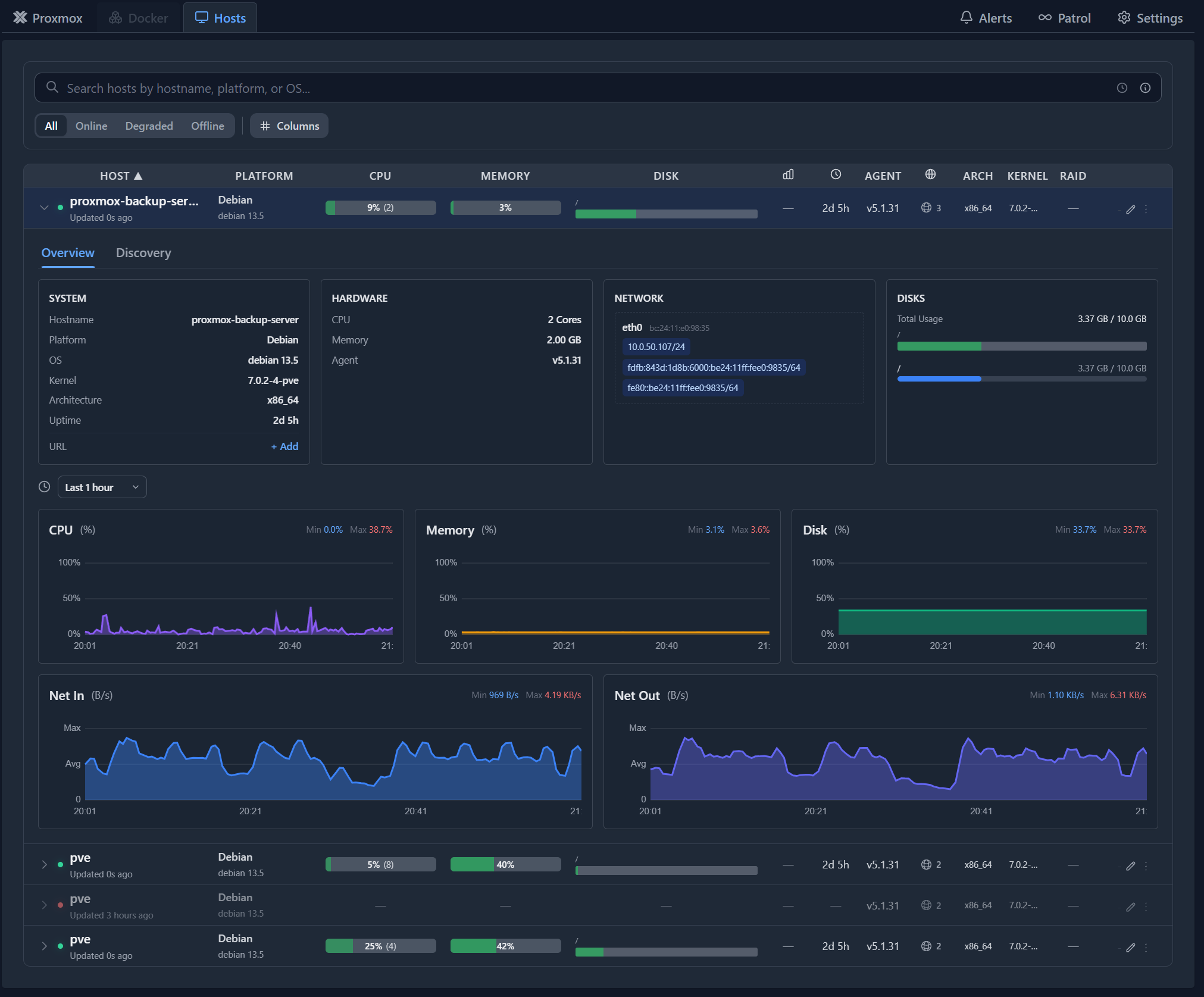
I run an LXC container called Pulse for monitoring. It watches both Proxmox instances — the ZimaCube and the Mac Mini — and gives me a proper graphical dashboard. CPU usage, memory, network, disk, the lot.
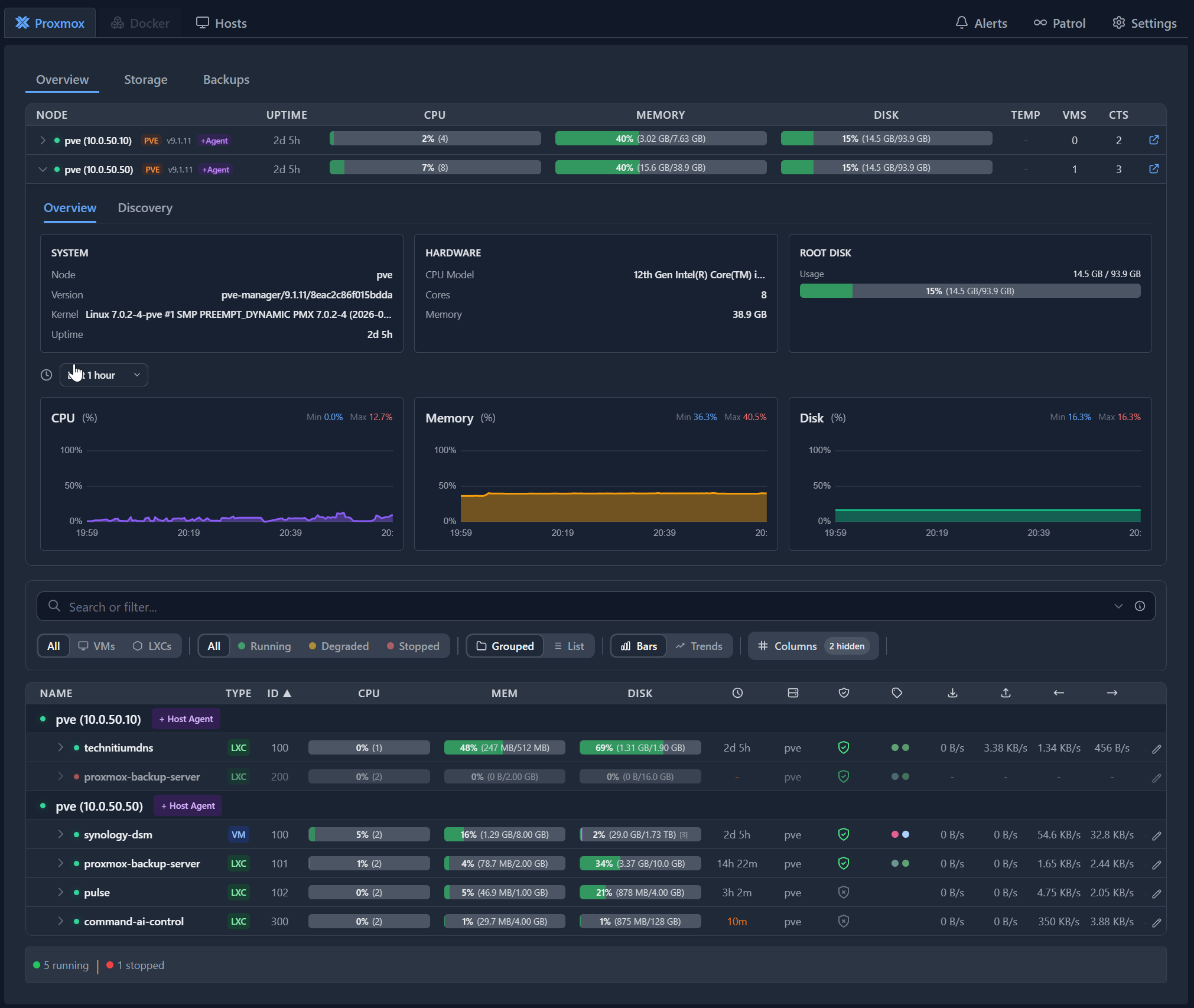
I know I could check all of this from the command line. I know there are terminal-based monitoring tools that would make me look very clever. But I like the GUI. I like opening a browser and seeing a dashboard that tells me at a glance whether everything is healthy or whether something is about to go wrong.
Pulse is also set up to send me alerts. If something goes wrong, I get a message. I do not need to be checking dashboards constantly — the dashboard checks me.
It monitors everything — storage, backup jobs, the PBS instance itself. All of it visible in one place.
Notifications That Actually Matter
Proxmox Backup Server is configured the same way. Successful backups do not generate a notification. I do not need a message telling me everything went fine — I assume it did, and if it did not, I will hear about it. But if a backup job fails, I get an alert immediately. I can look into it, figure out what went wrong, and fix it before it becomes a real problem.
This is the kind of thing that sounds minor but changes how you feel about your setup. Before this, I would occasionally remember to check whether backups had run. Now I do not have to. If something breaks, it tells me. If nothing tells me, everything is fine.
One thing I particularly love about PBS: when I destroy a container or a VM, it automatically removes that machine from the backup schedule. No orphaned backup jobs. No stale data sitting around consuming space. It just cleans up after itself. I did not expect that to matter as much as it does, but it is one of those small touches that makes the whole system feel well thought out.
Right now I am backing up everything — every LXC, every VM. Eventually, as I add less important containers, I might get more selective about what gets backed up and what does not. But for now, everything goes in. And the automatic cleanup means I do not have to manage it.
My Honest Take
Backups are boring until they are not. Until the day something goes wrong and you need them, they are the most unglamorous part of any setup. But setting this up — getting PBS running, wiring in the Synology, connecting the Mac Mini, watching it all work without intervention — gave me more satisfaction than any benchmark or spec sheet ever did. And more satisfaction than chasing Windows Server drivers, for what it is worth.
The circular backup arrangement is a bit absurd. I am not pretending it is elegant. But it works, it is automated, and the data ends up in Google Cloud where it would survive even if the ZimaCube caught fire. That is good enough for me.
The real win is not the backups themselves. It is the fact that I do not have to think about them. They run, they notify me if something breaks, they clean up after themselves when I destroy a VM, and they stay quiet while doing it. A backup system you have to manage is not a backup system. It is a part-time job.
And the fact that the whole thing runs silently on hardware that fits on my desk? That is just a bonus. A long way from where I started with ZimaOS and a lot of uncertainty about what this machine was actually for.
Related Posts
- Why Proxmox Is the Only OS That Makes Sense — the setup this builds on
- Hardware Overview — the specs this is running on
- Inside the ZimaCube — the fan saga and what is inside
- Would I Buy It Again? — my verdict on the ZimaCube as hardware
- ZimaOS: Good at What It Does — why the stock OS was not enough
- Bare-Metal Windows Server 2025 — the experiment that preceded all of this